Elegant Boho Wedding Thank You Cards: A Designer's Guide
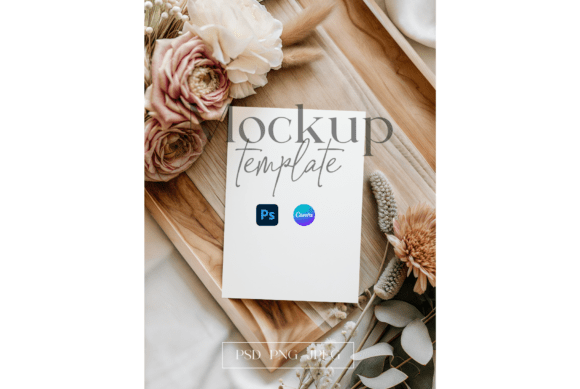
There’s a moment after the confetti settles and the last dance ends when the real work of gratitude begins. You want to send something that feels as thoughtfully curated as the wedding itself—something that whispers elegance rather than shouts. That’s where a beautifully designed template, like a 5×7 Luxury Greeting Card Mockup, becomes more than just a convenience; it becomes the foundation for a lasting impression. Imagine holding a card where soft botanical watercolor leaves drift across a neutral beige background, where delicate baby’s breath illustrations frame your handwritten note, and where elegant typography carries your message with grace. This isn’t just a thank you card; it’s a piece of your brand’s visual story.
Crafting Visual Consistency Across Your Celebrations
For anyone planning a wedding, bridal shower, or engagement party, the details are what guests remember. A cohesive aesthetic from invitation to thank you card reinforces the care you’ve put into the event. Using a template with a defined style—think soft watercolor botanicals and a neutral palette—ensures that every touchpoint feels connected. This isn’t limited to weddings. Small business owners hosting product launches, influencers organizing meet-ups, or even bloggers planning a retreat can leverage this approach. The consistency builds recognition; when your audience sees that specific blend of baby’s breath illustration and modern serif typography, they immediately associate it with your event or brand. It’s a subtle but powerful form of visual branding that extends far beyond a single celebration.
Practical Applications Beyond the Wedding Suite
While designed for nuptial thanks, the assets in this mockup package—a Canva link, PSD file with smart objects, and high-resolution JPG/PNG files—offer surprising versatility. The transparent PNG file, for instance, is perfect for layering into social media graphics or website banners. Imagine using the botanical leaf elements as subtle accents on your Instagram Stories or Pinterest pins to promote a new blog post about event planning. The editable Canva template is ideal for creating a series of matching print materials: place cards for a future dinner party, menu designs for a café, or even promotional posters for a local florist. The design’s elegance translates seamlessly to digital products, like a downloadable planner page or a digital thank you note for online purchases, adding a premium feel to your customer interactions.
Choosing Typography That Speaks Your Brand's Language
The typography in this mockup isn’t an afterthought; it’s a central character. The elegant, likely serif or refined script font used sets a tone of sophistication and warmth. When personalizing, consider how different typefaces shift the mood. A classic serif font conveys tradition and reliability, perfect for a formal wedding or a luxury brand. A clean sans-serif can modernize the look, making it suitable for a contemporary boho celebration or a minimalist brand identity. If you’re using this for a business, match the font style to your existing brand guidelines. Is your brand voice whimsical? Perhaps a handwritten script font for the names. Is it sleek and professional? A sans-serif for the body text maintains readability. Always test font pairings within the template—see how a bold heading font interacts with the delicate body text before finalizing. Remember, readability is paramount; no matter how beautiful, the font must be clear at a glance.
Streamlining Your Design Process with Editable Assets
One of the greatest practical advantages here is the time saved. Starting with a professionally designed 5×7 Luxury Greeting Card Mockup means you’re not building from a blank canvas. The Canva template is particularly accessible. Even if you’re not a graphic designer, the drag-and-drop interface allows you to swap text, adjust colors to better match your specific beige or blush tones, and even upload your own photos or monograms. For designers or more advanced users, the PSD file with smart objects is a powerhouse. You can seamlessly integrate your client’s logo, adjust the watercolor elements, or experiment with different background textures while maintaining the high 300 DPI quality needed for crisp, professional printing. This flexibility is crucial for creating a suite of materials that feel custom-made, whether you’re a bride personalizing for your guests or a marketing professional developing assets for a client’s product launch.
Ensuring a Polished Final Product
Before you export your final design, take a moment to review it with fresh eyes. Check the spacing around the botanical elements—does the baby’s breath illustration feel balanced, or is it crowding the text? Zoom in on the typography; are the letters crisp and legible? If you’ve changed the font, ensure it still complements the soft, organic feel of the watercolor leaves. Consider the paper stock you’ll use for printing; a slightly textured paper can beautifully enhance the watercolor effect, while a smooth, matte finish might suit a more modern aesthetic. For digital use, like email signatures or website graphics, the provided PNG with its transparent background allows for clean integration over any color or image. This attention to detail in the final stages is what elevates a good design to a great one, ensuring your thank you—or any communication—lands with the intended impact and professionalism.